A motorway at night: red and white light trails running towards the city

The listing says “an hour ago”.
It can be three hundred days old.

The panel opens beside the listing. It prints how long the listing has really stood. And where its price sits among comparable ones.

The extension is out. Add it to your browser — it is free.

Install in Chrome Install in Edge

No account needed. The panel works as soon as it is installed. Chrome has version 0.8.0 — that is the one that reads 37 languages. Edge is still on 0.7.1; the new build is with the store.

What you save lives in your browser

What you save stays in your browser until you choose to keep it on your other devices too.

A business-for-sale listing page with the extension panel beside it
The panel beside a real listing: the marketplace page on the left, the reading of that same page on the right.

What it gives you

Four things you see at once, before any conversation with the seller.

The real age of the listing
The marketplace shows when the listing was pushed back to the top, not when it was posted. The panel prints how long it has really been up.
The price against the market
Against our own count of listings in the same trade. We do not import anyone else's estimates.
Whether a broker posted it
The panel flags a listing posted by a broker — from the words of the listing itself. Spanish and Portuguese for now.
It opens where you are looking
Nothing to copy into another window. The panel appears beside the listing on any site where we recognise a business-for-sale listing. A live run: 50 marketplaces in 50 countries, 37 read; the other 13 were shut out by the marketplace itself.

Without the panel and with it

The same listing, read two ways.

Without the panelWith the panel
Age of the listingYou see “an hour ago” — that is the bump date.Prints how long it has really stood, where the date can be read.
PriceOne price, nothing to compare it with.Shows where that price sits among listings in the same trade. Spain is counted; elsewhere the panel says so.
What the listing keeps quietNo revenue — is it hidden or is that normal?Names the market norm: 10 listings in 100 give revenue, 1 gives profit, none give the number of staff.
What the panel understoodPrints a receipt: price with currency, rent, revenue, trade, city. So you can catch us in a mistake.
What is missingYou read it and do not know what to expect.Checks fourteen marks at once — from “no price given” to “commission on top”.
Shop-window freshnessYou believe the date on the page.Says it plainly: the date means nothing, 96 in 100 look bumped today.
Where you do thisLinks in a notepad, listings across ten sites.Appears beside the listing: by itself on 18 Spanish marketplaces, elsewhere at a click of the icon. Reads listings in 37 languages.
A month laterYou go back and check by hand.What you saved sits in your browser. Link the account and up to ten objects are checked once a week.

How to install it

Thirty seconds, three clicks, no account.

  1. Install the extension from your browser's store — it is free. It is out for both Chrome and Microsoft Edge.
  2. No account is needed: the panel works as soon as it is installed.
  3. The extension icon appears in the browser toolbar, to the right of the address bar.
  4. The icon may hide under the Extensions cube to the right of the address bar: click the cube and pin the icon, or you will not find it.

The extension is out in both stores. Open the Chrome Web Store listing · Open the Microsoft Edge listing. Installing is free.

How to use it

Two ways: the icon works everywhere, on Spanish marketplaces the panel opens by itself.

  1. On any site: open a listing and press the extension icon in the toolbar — the panel reads that page. The press is the permission: without it the extension does not read the page.
  2. On the eighteen Spanish marketplaces the panel opens by itself; no press needed.
  3. If the property is worth keeping, press save. The list lives in your browser; keeping it on your other devices is a separate decision of yours.

Where this works today. The panel is calibrated today for Spanish marketplaces: listing age and the market count it gives only there. We produced that count ourselves; counts for other marketplaces appear once we have measured them, we do not import anyone else's numbers. The business check itself does not depend on the marketplace: we run it for any country where the records on the business can be reached.

What we ask permission for

Every permission named and explained. These are the same words the browser will show.

Only the tab where you clicked
The activeTab permission: the panel reads the page after your click, not everything.
The list is in your browser
The storage permission: what you save sits on your own device.
The weekly check
The alarms permission: an alarm for what you saved. It runs only while the browser is open.
Our address is an optional permission
Asked separately, and only when you link the account yourself.
Until the account is linked
The extension makes no network request at all. You can see it in the code.
If you change your mind
Remove the extension and everything it kept is gone.

What the panel prints

And where it works today, and where we have not counted yet.

Working today

The real age

How long the listing has really stood, not when it was last bumped.

Spain for now

Where the price sits

Against prices in the same trade from our own count. Where we have not counted the market, the panel says so.

Spain for now

Shop-window freshness

The panel says it plainly: the date on this page means nothing — 96 listings in 100 look bumped today.

Working today

What the listing leaves out

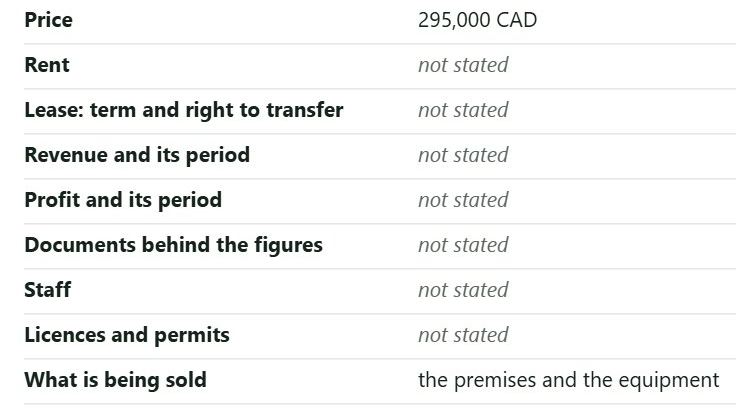
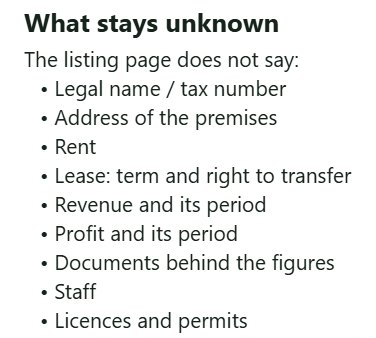
Fourteen marks: no price given, revenue claimed with no papers, licence, deposit and commission on top of the price, a company sold instead of assets.

What the panel does not do

These are decisions, not gaps.

Until you link your account, the panel makes not one network request. We cannot see what you are looking at. After you link it, it reports only the listings you saved.

The account, if you want more

The extension works without it. The account adds memory and the weekly check.

The list on every device
What you saved in the browser moves into the account and opens on your phone.
Once a week the account looks by itself
Up to ten objects: is the listing still there, has the price moved.
Order a check from the card
Like an object — the paid check is ordered straight from its card.

Open an account

Terms of use

What the extension reads, what leaves and when, and how to stop it. The same words stand in the privacy policy.

In plain words. Until you link your account, the extension sends us nothing. After you link it, it sends only what you chose to save.

The extension reads the listing page inside your browser. On the eighteen Spanish marketplaces named in its manifest it starts by itself; on any other site it runs only when you press its icon. That press grants it access to that one tab and only for that visit — the extension holds no standing permission to read websites.

Until an account is linked, everything stays on your device: saved listings live in your browser's own storage, and we neither see nor copy them. Remove the extension and that goes with it.

If you press “Keep this list on my other devices”, your browser asks you to grant access to our address, and from then on the extension sends us:

We do not see the pages you merely opened: only the ones you saved and linked. You can unlink every extension with one button in your account without deleting the list, and deleting the account erases everything.

Privacy